
Released: 8.24.2026
Overview
Deal Central now gives you more control over how payment options are presented in customer proposals. When creating a proposal in Manager View, you can choose which payment terms, cash down amounts, and scenarios appear in the final proposal. This allows you to focus on the options most relevant to the customer while keeping the proposal clear and easy to review.
Why It Matters
When discussing payment options with a customer, dealerships can now control which options appear in the proposal.
Rather than presenting every available payment combination, you can focus the proposal on the options most relevant to the conversation while continuing to work within the Deal Central proposal workflow.
What’s New
You can now choose which payment options and scenarios appear in proposals before printing, texting, or emailing them.
New capabilities include:
- Select which payment term columns appear in a proposal
- Select which cash down amounts appear in a proposal
- Exclude entire scenarios from a proposal
- Preview changes before sharing the proposal with a customer
- Use the same selection across printed, texted, and emailed proposals
How It Works
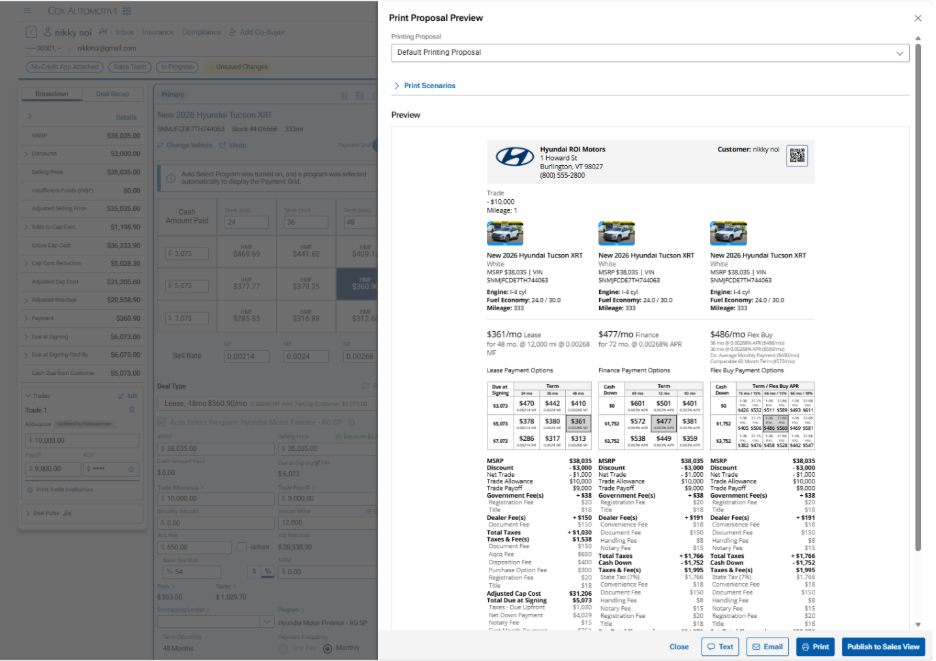
Step 1: Open Print Proposal Preview
Open the proposal preview from either the Quick Print flow or the Settings flow Preview step. Then expand the Print Scenarios section to view all available scenarios and payment grids for the deal
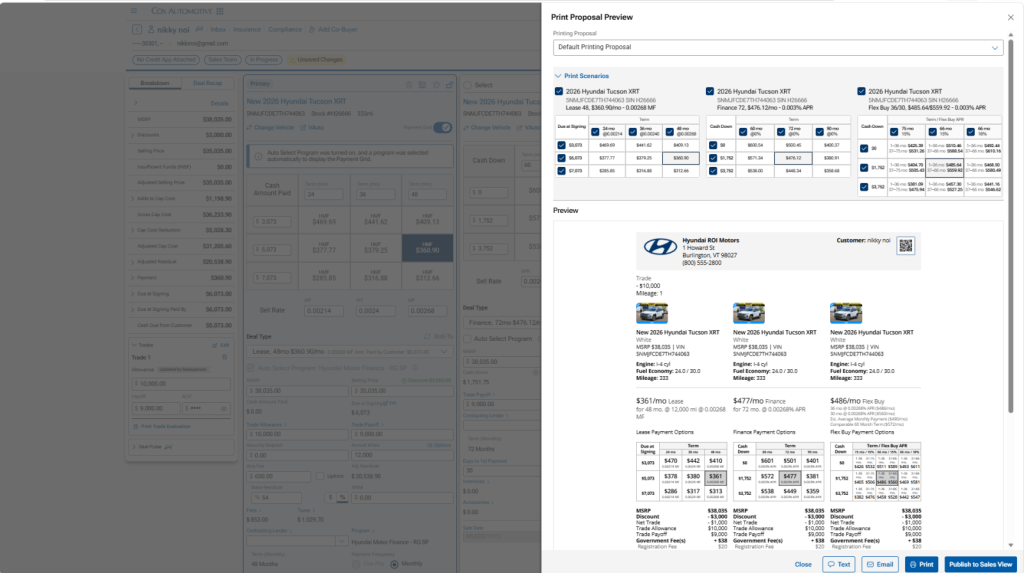
Step 2: Choose What Appears in the Proposal
Customize the proposal by:
- Selecting or removing payment term columns
- Selecting or removing cash down amounts
- Including or excluding entire scenarios
The proposal preview updates based on your selections before sharing with the customer.
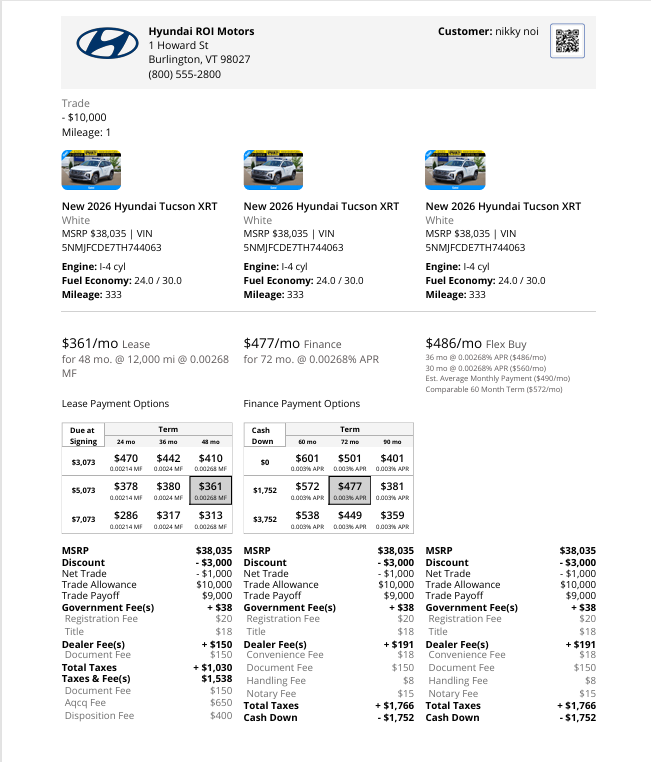
Step 3: Share the Proposal
Print, email, or text the proposal. The output reflects the payment options and scenarios you selected
Additional Information
- Supported for Lease, Purchase, Balloon, and Flex-Buy scenarios where a payment grid is enabled.
- All scenarios, payment terms, and cash down amounts are selected by default.
- If no changes are made, proposals will continue to display all payment options and scenarios by default.
- Changes apply only to the current proposal session and are not saved for future use.