October 2026
Overview
Buyer and co-buyer information sometimes needs to change after a deal is already underway. Deal Central Manager View now lets users swap the buyer and co-buyer, replace a buyer or co-buyer when permitted, or remove a co-buyer while continuing to work within the existing deal. For supported changes after a credit application has been submitted, Manager View creates an updated copy of the credit application and links it to the deal.
What’s New & Improved
Managers and F&I teams can make supported buyer and co-buyer changes while continuing to work within the existing deal, reducing the need to abandon the deal and re-enter information.
Manager View users can now:
- Swap buyers and co-buyers directly from the Deal Screen, with co-buyer details moving with the role.
- Change the buyer or co-buyer using an existing customer record or by creating a new customer record when permitted.
- Remove a co-buyer from the deal when needed.
- Make supported changes after a credit application has been submitted, with Manager View creating an updated copy of the credit application and linking it to the deal.
How it Works
Swap the Buyer and Co-Buyer
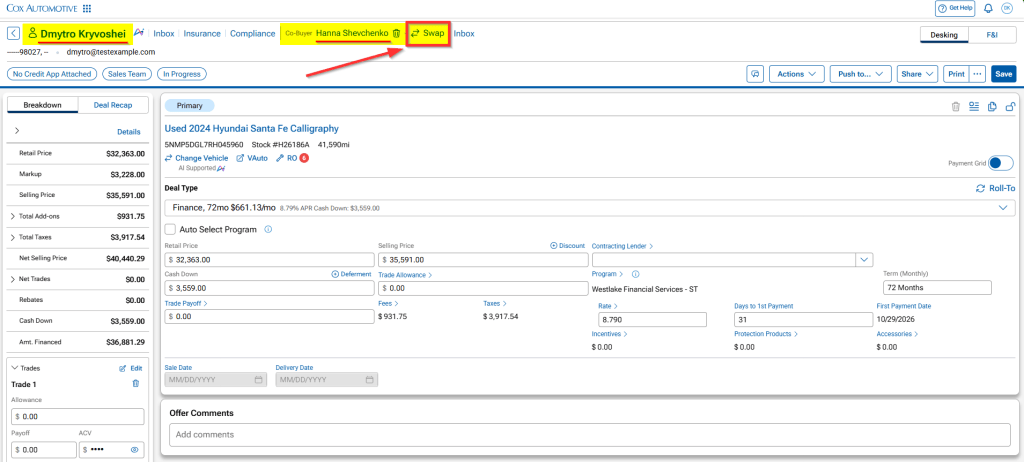
Use Swap when the two people already on the deal need to exchange roles.
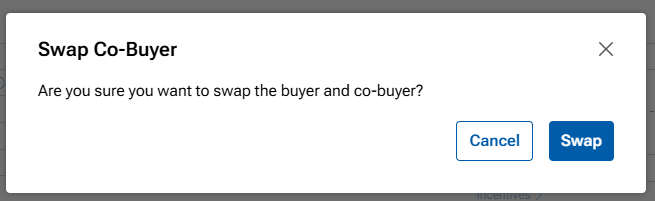
- Open the deal in Manager View and select Swap next to the co-buyer’s name.
- Review the confirmation and select Swap again.
- Confirm the buyer and co-buyer are in the correct roles, then save the deal.
The buyer and co-buyer exchange roles automatically, including co-buyer details such as relationship to the buyer and co-signer or guarantor designation.
If a credit application has already been submitted, Manager View creates an updated copy with the new participant roles and links it to the deal. No additional dealer action is required for the swap.
Change the Buyer or Co-Buyer
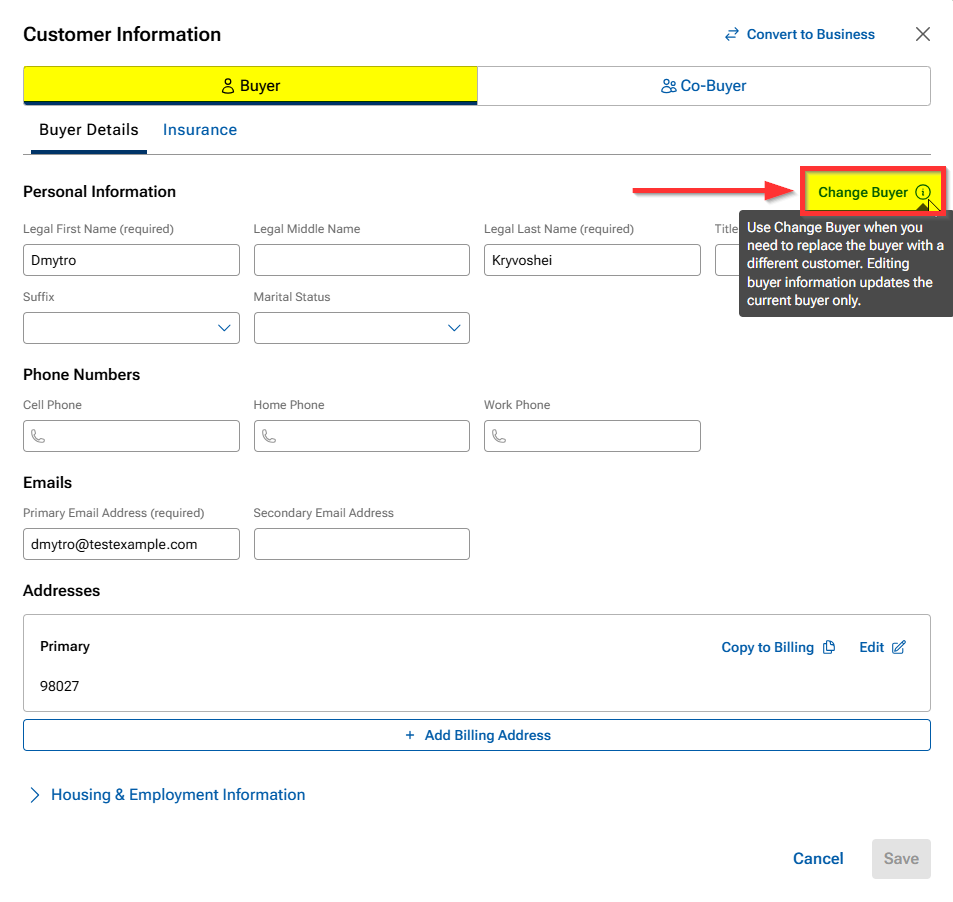
Use Change Buyer or Change Co-Buyer when a different person needs to be added to the deal.
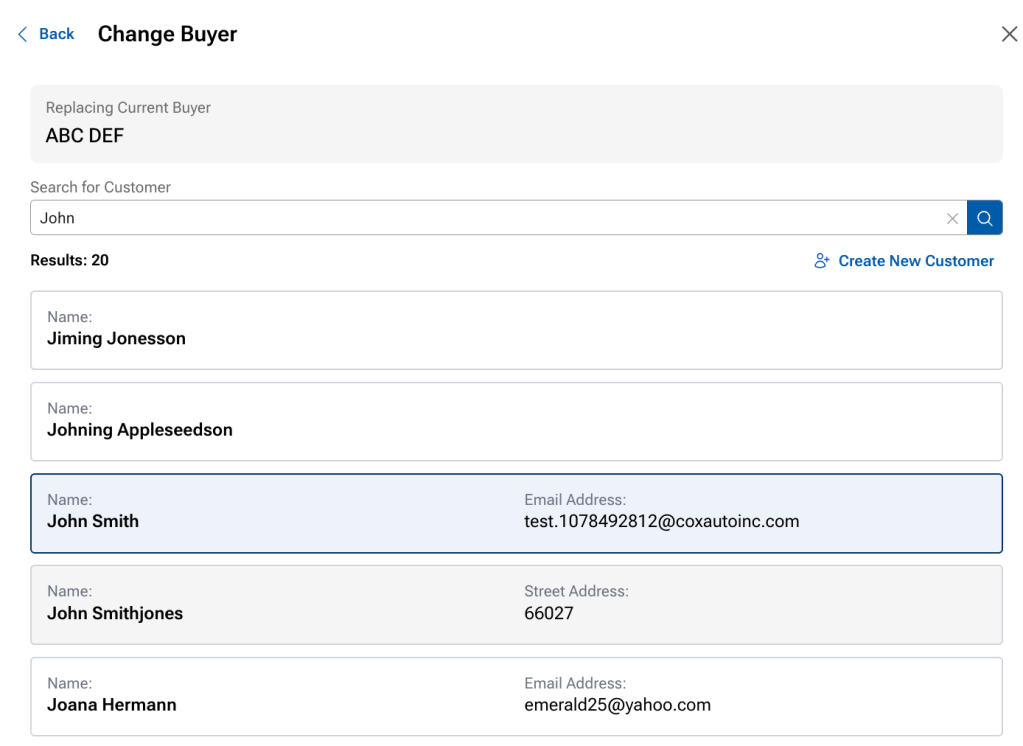
- From the Customer Information card, select the Buyer or Co-Buyer tab and choose Change Buyer or Change Co-Buyer.
- Search for an existing customer or create a new customer record.
- Add or update the customer information and save the record to attach the customer to the deal.
- Save the deal before leaving Manager View.
Important: Replacing the buyer with a different person is not available after a credit application has been submitted.
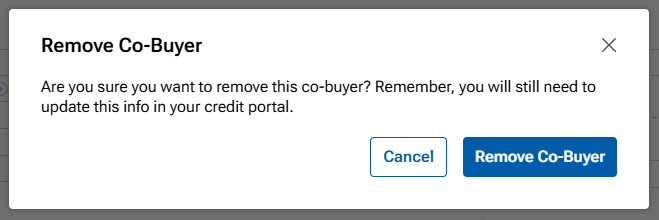
Remove a Co-Buyer
Use the remove action when a co-buyer should no longer be included on the deal.
- Open the deal and select the option to remove the co-buyer.
- Review the confirmation and select Remove Co-Buyer.
- Save the deal before leaving Manager View.
If a credit application has already been submitted: Manager View creates a copy of the credit application, but the co-buyer must also be manually removed from the new credit application in Dealertrack F&I.