
September 2026
Overview
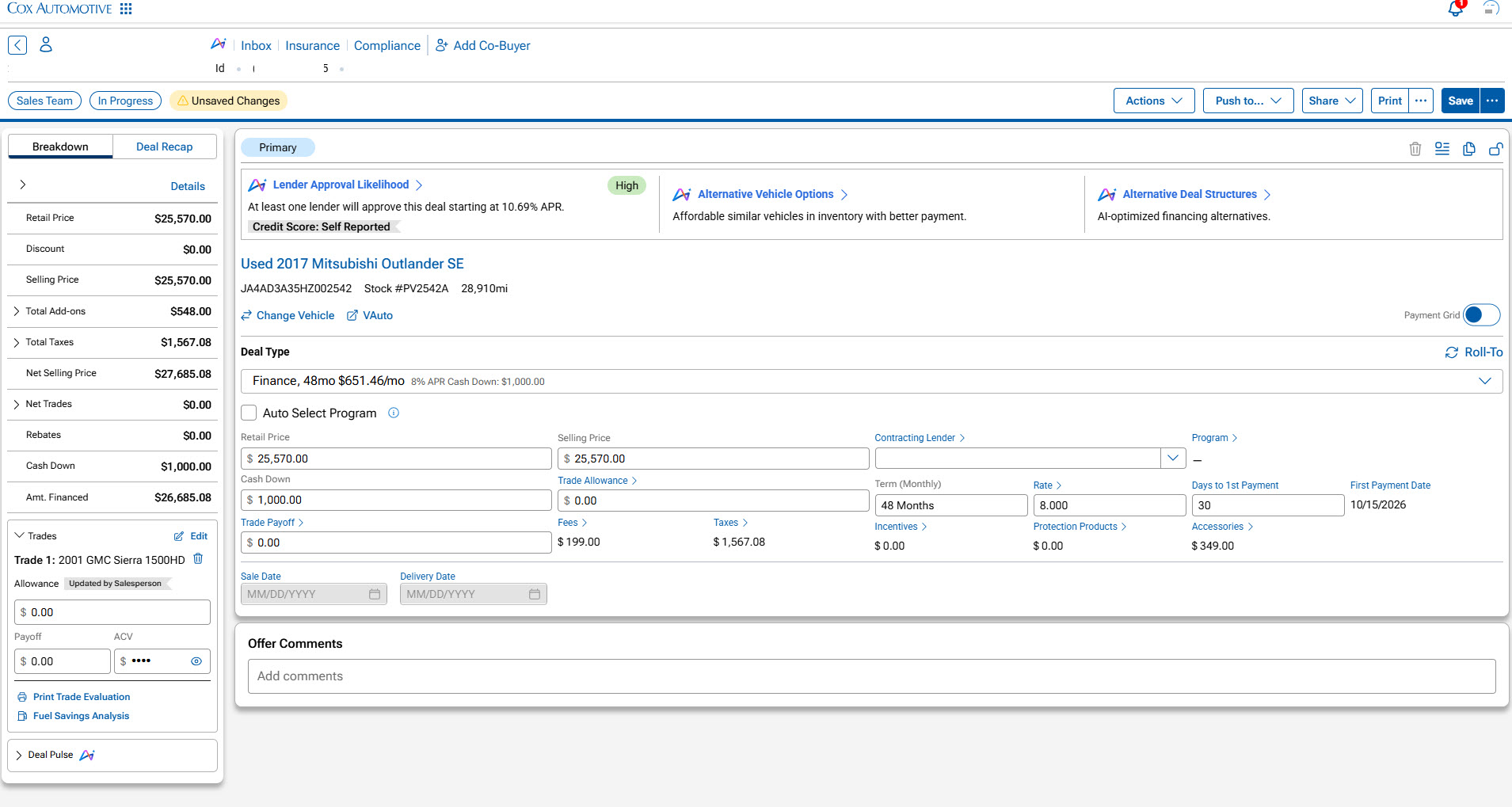
When a deal is not coming together, managers need a clear way to explore what could work next without starting over. AI-powered Desking Intelligence brings more possibilities into the active Deal Central workflow, helping managers search for alternative vehicles, compare configured lenders, and evaluate different deal structures. Managers can review more options without repeatedly rebuilding the deal, while remaining in control of every decision.
What’s New
Desking Intelligence introduces several new capabilities designed to help managers evaluate more deal possibilities within the Deal Central workflow:
- Lender Approval Likelihood to estimate the likelihood of lender approval.
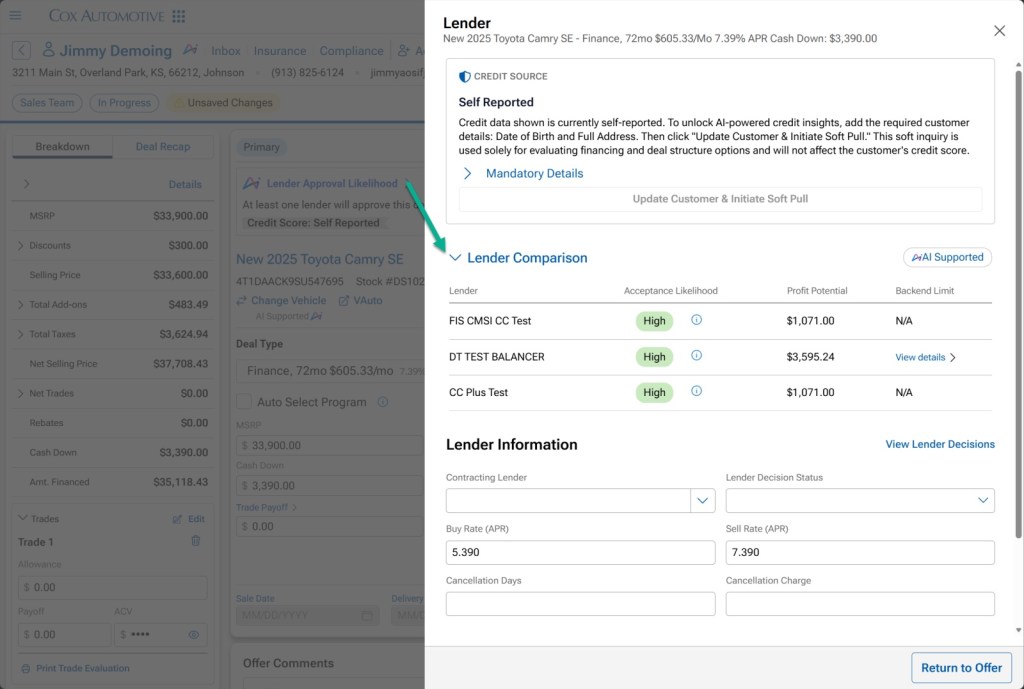
- Lender Comparison to compare configured lenders, approval likelihood, and estimated profit potential.
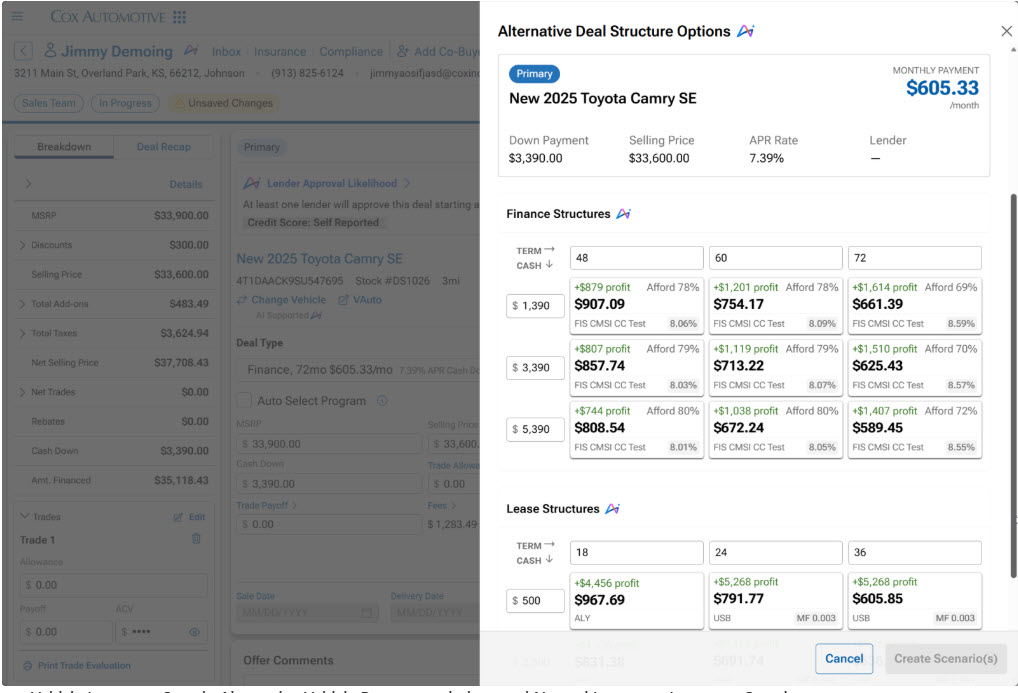
- Alternative Deal Structures to evaluate additional finance and lease options without creating multiple scenarios.
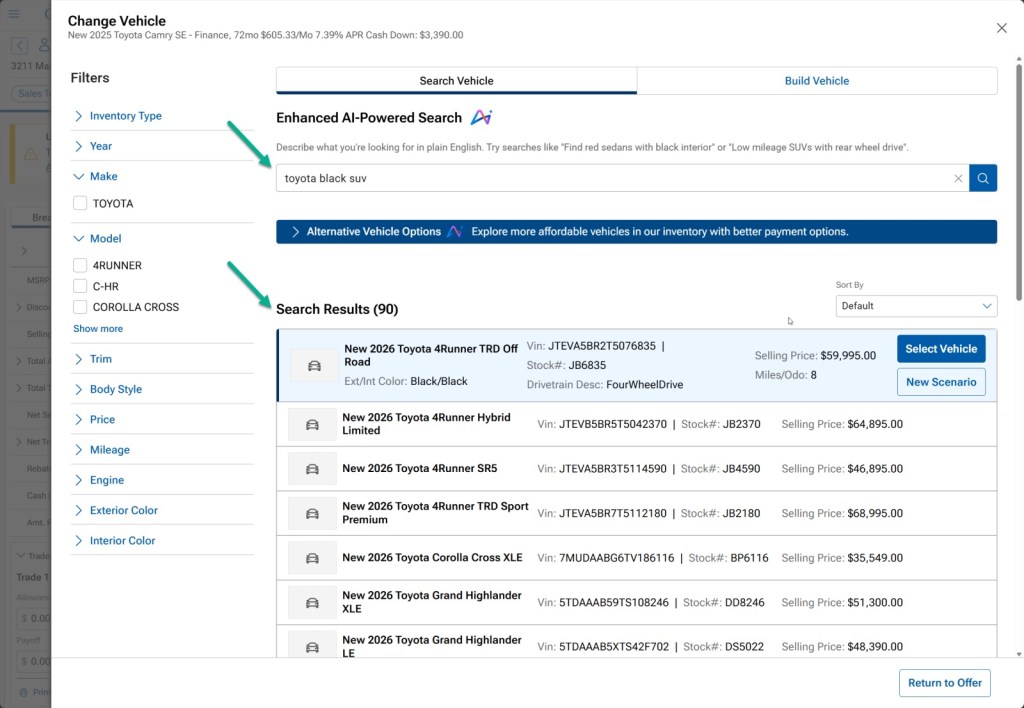
- Alternative Vehicle Recommendations to identify similar vehicles from dealership inventory.
- Natural Language Inventory Search to search inventory using everyday language instead of relying only on filters.
How It Works
Once Desking Intelligence is configured for your dealership, its features are available within your existing Deal Central workflow.
1. Open a Deal in Manager View
Open Manager View with a finance deal, or switch the deal to finance after it loads. Some Desking Intelligence features may not yet be available for lease deals.
2. Review Lender Approval Likelihood
Deal Central displays an estimated approval likelihood for configured lenders:
- High: The estimated probability of lender acceptance is greater than 50%.
- Limited: The estimated probability of lender acceptance is 50% or lower.
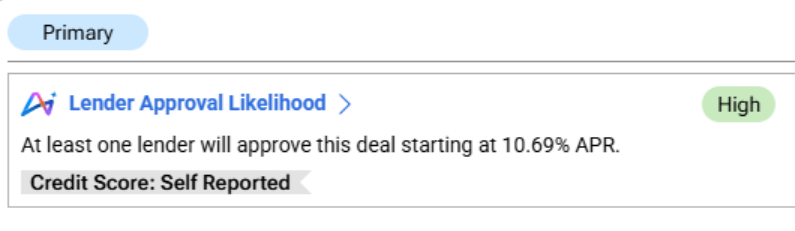
Note: A customer state is required for this information to appear
3. Compare Configured Lenders
Open the lender comparison to review:
- Approval likelihood
- Estimated profit potential
- Available configured lenders
4. Alternative Vehicles Options
Select Change Vehicle to explore more vehicle options without leaving the deal. You can review similar vehicles from your dealership’s inventory or use natural language search to find vehicles using everyday descriptions, such as: “Red sedan with black interior”; “Low-mileage SUV with rear-wheel drive”
From the results, you can:
- Select Vehicle to replace the current vehicle in the deal.
- Select New Scenario to compare another vehicle option without replacing the current scenario.
Recommended vehicles may include similar year, make, model, and trim combinations, along with available approval likelihood and profit potential information. Traditional inventory filters remain available.
Note: Filters and Natural Language Inventory Search apply to standard vehicle results, not Alternative Vehicle Recommendations.
5. Explore Alternative Deal Structures
Review alternative finance or lease structures alongside the current deal. Options may include changes involving:
- Trade
- Accessories
- Vehicle Protection Products
This allows you to compare different deal options without manually configuring multiple scenarios.
Requirements & Important Notes
- Desking Intelligence features are available in Manager View once dealership setup and feature enablement are complete. Natural Language Inventory Search is also available in Sales View.
- Some features are not currently available for lease deals.
- Desking Intelligence uses the available credit source for a deal, including dealership-configured credit information, customer-provided information, or a soft pull when available.