
November 2026
Overview
Keep the lender and program you’re working with.
Deal Central now keeps the lender and program on the deal as terms change, giving managers more control over which lender is used throughout the deal.
Once a lender and program are on the deal, Deal Central continues using them until you choose a different lender or program. If the selected lender does not have a program for the terms entered, Deal Central still provides a calculated payment and clearly identifies it as an estimate.
Want to see it in action? Watch the walkthrough video for a closer look at how these updates work in Deal Central.
What’s improved
More control and clarity as you structure the deal
Deal Central now keeps your selected lender and program connected to the deal as you adjust terms and compare payment options. You get a more consistent view of the deal, with clear indicators that help you understand how each payment is calculated.
With this update:
- Keep your selected lender throughout the deal: As you adjust deal terms, Deal Central recalculates within the selected lender program, keeping you in control of the lender you’re working with.
- Compare payment options with confidence: Payment options stay aligned to the lender program selected for the deal, so you can evaluate different structures using the same lender.
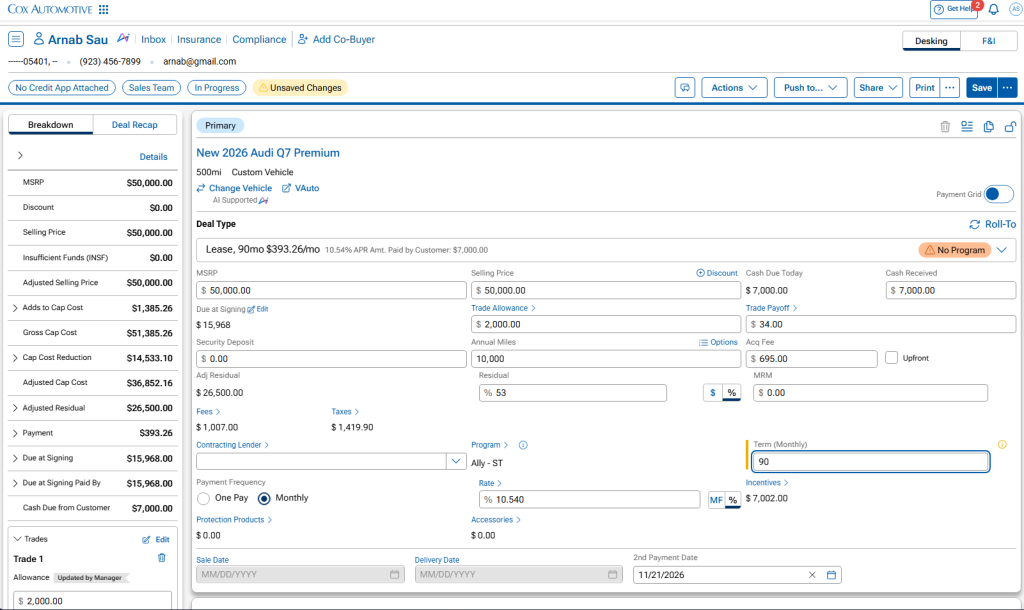
- Explore additional finance terms: When you select a finance term outside the lender program, Deal Central can still calculate a payment and clearly identifies it as No Program.
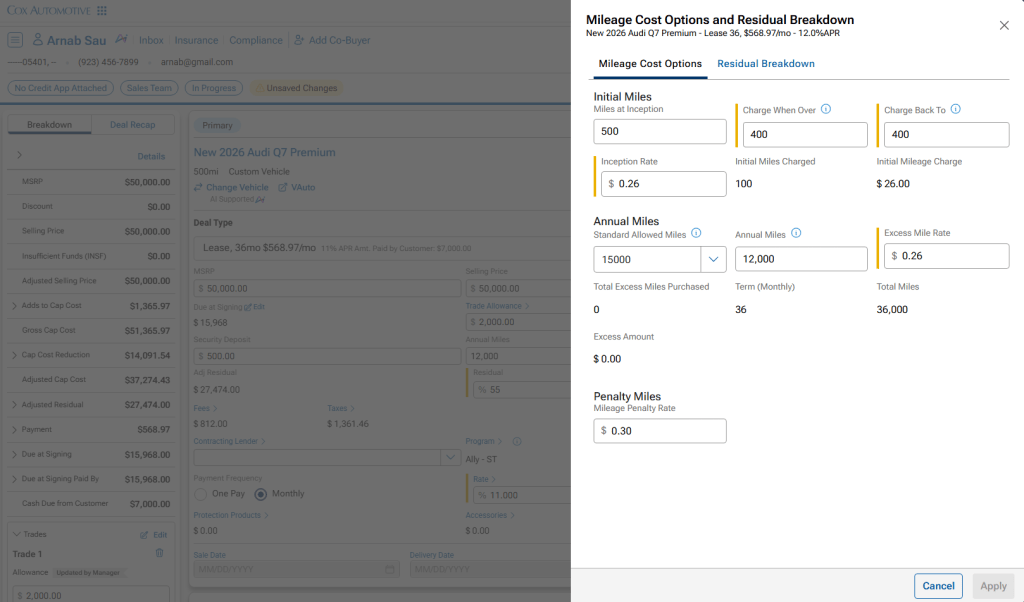
- See when values have changed: A yellow indicator identifies when a lender program value has been manually changed.
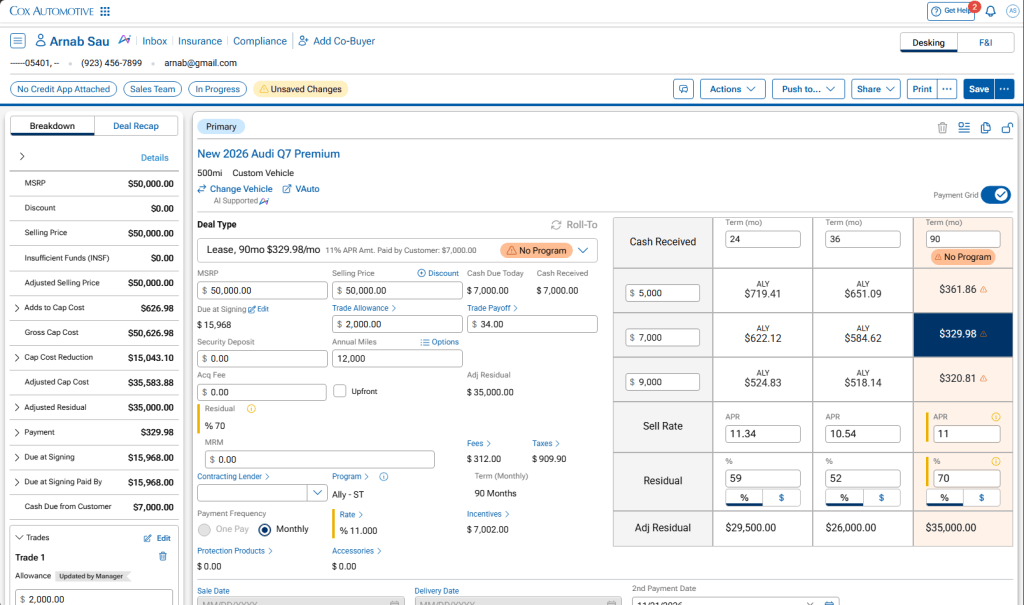
- Explore more lease payment options: For lease deals, adjust program-related values within individual payment options, including rate and residual, to compare different structures within the grid.
How it works
The lender stays with the deal unless you change it
1. Start or open the deal
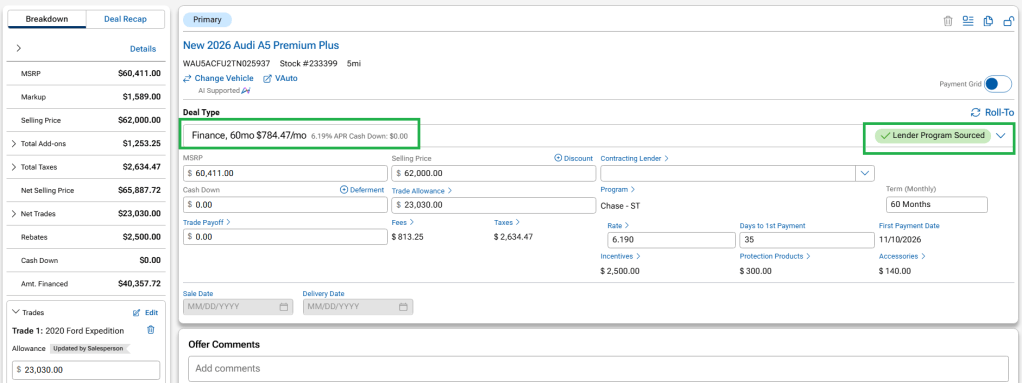
On a new deal, Deal Central can select a lender program based on your dealership’s configured settings. When Deal Central makes the selection, a banner lets you know which program is being used. From there, that lender stays with the deal as you continue structuring.
2. Adjust the deal terms
Change the term, rate, down payment or other deal details as needed. Deal Central recalculates the deal using the same lender and program. For example, changing from 36 to 48 months pulls that program’s 48-month rates.
3. Review the payment
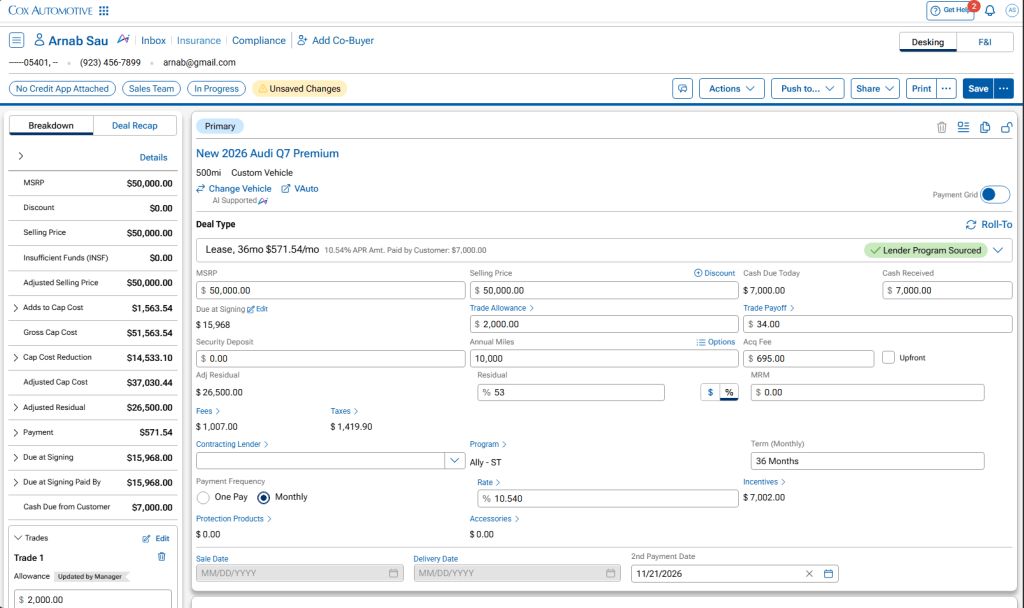
Deal Central indicates whether the payment is supported by the selected lender program or has been calculated because the selected finance term isn’t supported by that program.
- Green: The payment is supported by the lender program.
- Red / No Program: The selected finance term isn’t supported by the lender program, but Deal Central can still calculate a payment.
- Yellow: A lender program value has been manually changed.
Green indicates the payment is supported by the selected lender program.
No Program indicates when the selected finance term isn’t supported by the lender program, while Deal Central still calculates a payment.
4. Choose another lender when needed
To change lenders, select another lender from Programs & Incentives. Deal Central then recalculates the deal using the newly selected lender.
5. Review options in the payment grid
Payment options stay aligned to the lender program selected for the deal, so you can compare different structures without the lender changing between options. If you explore a finance term that isn’t supported by the selected program, Deal Central can still calculate the payment and identifies it as No Program. For lease deals, you can also adjust program-related values within individual payment options, including rate and residual, to compare different structures.
Payment options stay aligned to the lender and program on the deal, with calculated payments identified when a term isn’t supported.
Yellow indicates when a lender program value has been manually adjusted.
6. Carry the deal structure into Sales View
Once the manager structures and shares the deal, Sales View carries that structure forward. Salespeople can adjust permitted inputs, such as term and cash down, while calculations remain tied to the manager-selected program. If a change can’t be supported by that structure, Sales View indicates that a payment isn’t available so the salesperson can work with their manager.
The manager’s deal structure carries into Sales View, where salespeople can continue working with the established payment options.
Important note: Lender Lock is rolling out in phases. Deal Central dealers not using F&I Intelligence are included in the first phase, with F&I Intelligence dealers following shortly.