
Released: 8.18.2026
Overview
Adding dealership forms to a deal can require users to locate and add documents individually. This update introduces a faster way to add applicable dealership forms directly from Digital Deal Jacket.
Why It Matters
This enhancement helps dealership teams manage deal documents more efficiently by automatically adding forms that match the deal and dealership setup.
- Add applicable dealership forms with a single click
- Reduce the need to search for and add forms individually
- Automatically match forms based on configured dealership criteria
- Receive status updates as documents are generated
- Prevent duplicate forms from being added to a deal
What’s New
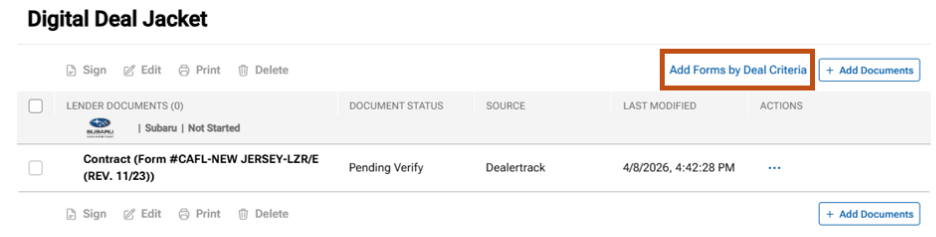
Digital Deal Jacket now includes an Add Forms by Deal Criteria button that automatically adds dealership forms configured for your store and applicable to the current deal.
When selected, the system evaluates the deal and adds only the forms that meet the configured criteria.
Automatic Form Matching
Forms are automatically matched based on dealership-configured criteria, which may include:
- Vehicle condition
- Product type
- Applicant type
- Lender
- State requirements
Only forms that meet the configured criteria for the deal are added.
Deal Status Notifications
Users receive notifications throughout the process, including:
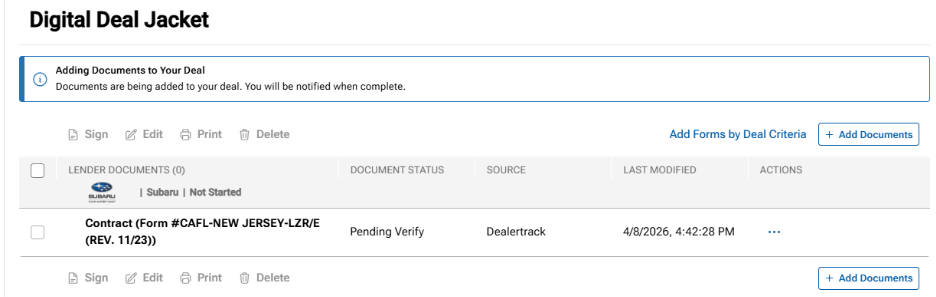
- When documents are being added
- When form generation is complete
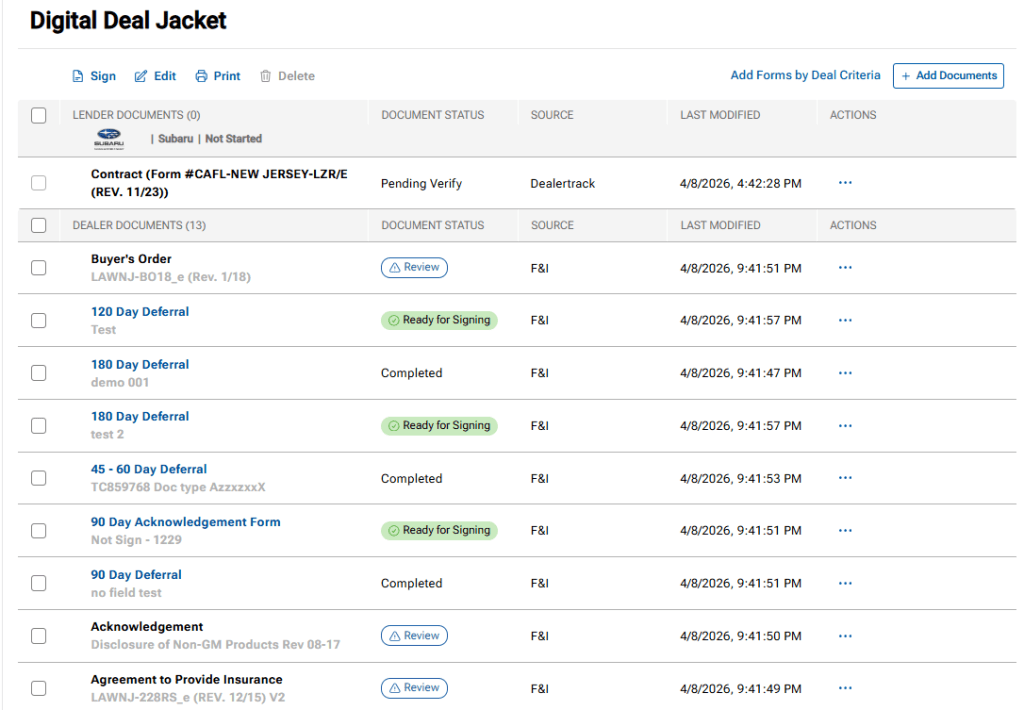
- When documents have been successfully added to the deal
How It Works
- Open the deal in Digital Deal Jacket.
- Select Add Forms by Deal Criteria.
- Deal Central evaluates the deal and identifies matching dealership forms.
- Applicable forms are added automatically.
- Generated documents appear in the Dealer Documents section.
Additional Information
- Forms must be configured and active for your dealership.
- Existing documents are checked before new forms are added to prevent duplicates.
- If a generated form is not needed, it can be removed from the deal.