
Release Date: June 2026
Overview
Capture and attach deal documents directly within Digital Deal Jacket in Deal Central—using a mobile device or upload—so required documents are completed without leaving the deal.
What problem does this solve?
Dealers often collect documents across multiple tools, which creates extra steps and slows down deal completion.
What’s improved?
- Capture or upload document images directly in Digital Deal Jacket
- Easily scan a QR code to quickly capture document images from a mobile device
- Images are stored directly in Digital Deal Jacket and attached to the deal, eliminating the need to save them on your device
- Fulfill required document placeholders within the deal
- Reduce manual steps and tool switching
- Keep all deal documents in one place
How it works
- Open the deal in Digital Deal Jacket (Sales View or Manager View)
- Select a required document placeholder or click Add Documents
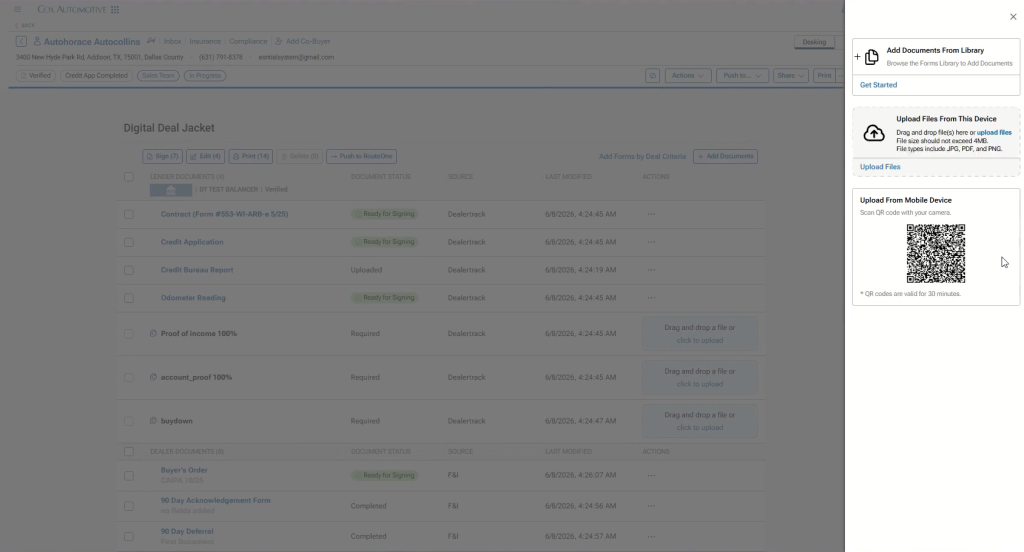
- Scan the QR code to capture images using a mobile device or upload files
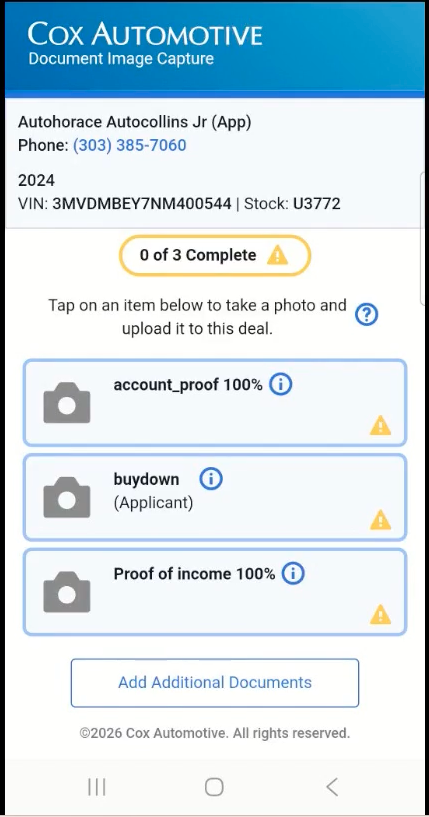
- Edit images as needed (crop, rotate, adjust)
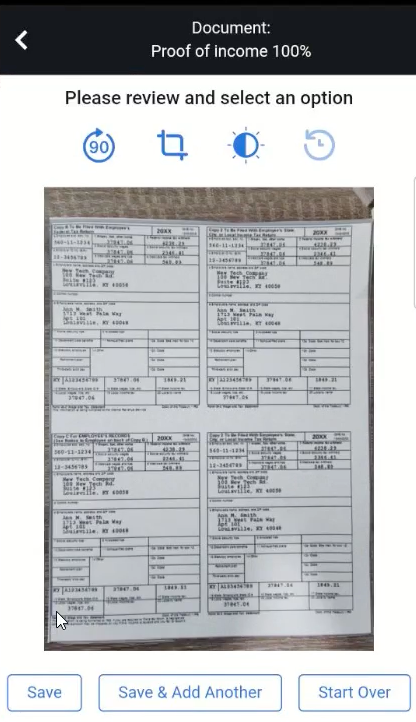
- Save—documents are attached directly to the deal
- Continue the workflow with required documents completed