
Release Date: August 2026
Overview
Quick Quote in Manager View helps desk managers start payment discussions sooner by removing the need to enter customer or vehicle information before working payment scenarios. Users can quickly calculate payments, compare deal options, save quotes for later, and continue working opportunities as additional information becomes available.

What’s New
- Create and work payment scenarios sooner by starting a Quick Quote before customer or vehicle information is available.
- Save quotes and continue working opportunities by storing Quick Quotes in Recent Deals and returning to them as additional information becomes available.
- Build and compare deal scenarios with greater flexibility by working multiple scenarios and adding vehicles, incentives, accessories, and vehicle protection products as needed.
- Print proposals directly from Quick Quote mode to support customer discussions without creating a completed deal.

How It Works
1. Create a Quick Quote
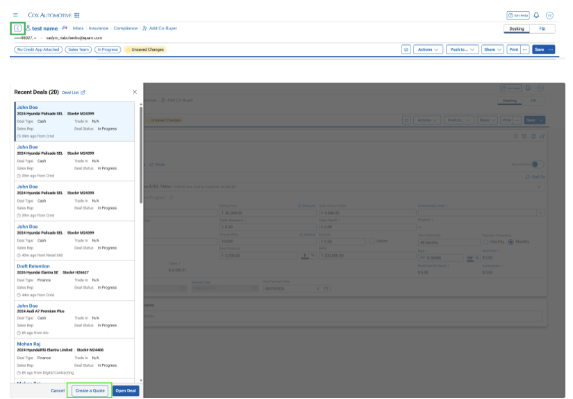
From Recent Deals, select Create a Quote to begin working a payment scenario without first adding a customer or vehicle.
Note: For users with access to multiple dealerships, choose the dealership where the quote should be created.
2. Build & Refine Your Scenario
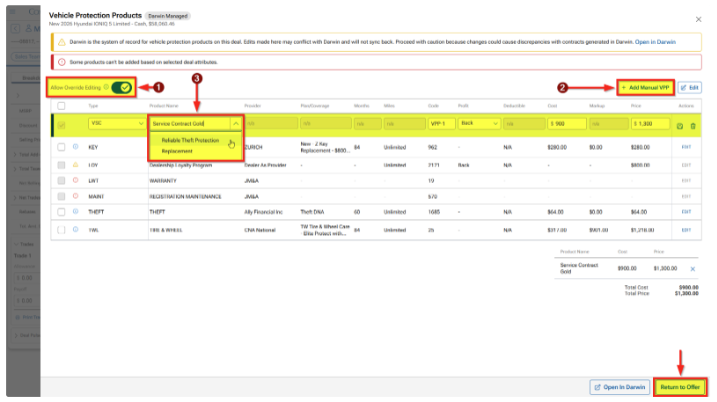
Enter the information needed for payment calculations, then refine your deal scenario as needed by changing vehicles and adding incentives, accessories, or vehicle protection products.
3. Save or Print
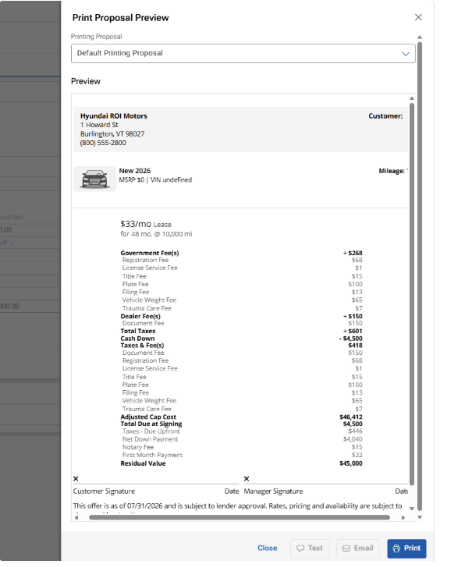
Save the quote to access it later from Recent Deals or print a proposal to support customer discussions.


Good to Know
- Quotes can be saved once the required payment information is entered.
- Some customer-related actions remain unavailable until customer information is added.
- Quick Quote supports printing, but documents cannot be sent to customers or saved to the Digital Deal Jacket while working in Quick Quote mode.